
Catalog Grouping
Catalogs on the home page can be grouped by topic or department.
Grouping Types
Section — shown only at the top level of the home page: the section name and its contents. Inside a section, there can be catalogs and folders.
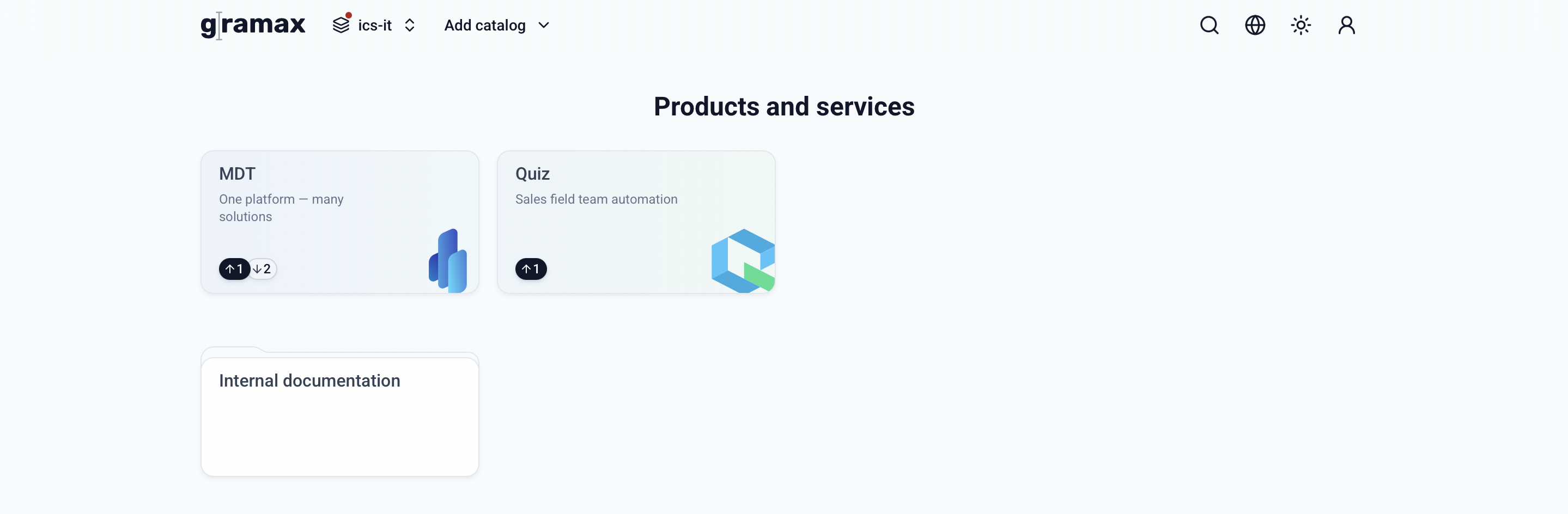
Folder — can be on the home page or inside a section. Inside a folder, there can only be catalogs.
Separately from sections and folders, there's Favorites — not a configurable grouping, but a pinned selection of frequently used catalogs: mark a catalog as a favorite, and it appears in this group above everything else on its own.
Configure Grouping
Open the Home layout block in the account menu: create sections, rename them, reorder them, and move catalogs and folders into them. A new group is added as a section — it can be converted into a folder, and a folder back into a section.
Personal — visible only to you, changes are saved on this device and don't affect teammates. Available in any space.
For everyone — the space's shared layout, available only in Gramax Enterprise Server. Only a space admin can configure it; other users can see it but not edit it. Applies on the reading portal and for editor users who haven't set up a personal layout.
Readers and reviewers don't have access to home page layout settings.
Grouping can also be configured by hand, in the workspace.yaml file — as a more flexible alternative to the interface.
Settings from the file are visible only to a specific user on a specific device. However, you can share them with teammates or publish them to the documentation portal.
The catalog grouping type is set in the file for each group separately:
view: section— sections. A section can only exist at the first level.view: folder— folders. A folder can be inside a section, but can't be nested inside another folder.
For each section, specify the section code, title, and catalogs included in it. Example configuration:
name: Demo # Space name icon: tag # Space icon sections: products: # Section code 1, shown in the URL when navigating sections title: Products # Section title view: section # Catalog grouping display type (section). Section works only for top-level groups catalogs: # Catalogs in the section - ad # Repository name - ac # Repository name sections: # Folder inside the section security: # Folder code, shown in the URL when navigating folders title: Information Security # Folder title view: folder # Catalog grouping display type (folder) icon: shield # Folder icon catalogs: # Catalogs inside the folder - adr # Repository name - ap # Repository name company: # Section code 2 title: Internal Information projects: # Section code 3 title: Projects